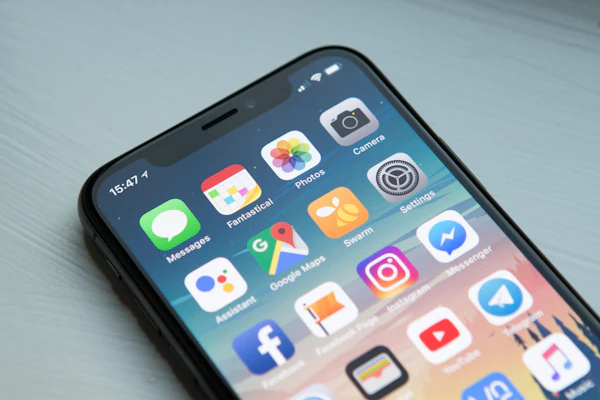
So, how much does it cost to build an app in 2026? In our experience, a focused MVP built natively for both iOS and Android typically costs $30,000 to $80,000, a full-featured production app for both platforms commonly runs $100,000 to $400,000 or more, and complex marketplace or enterprise builds can clear $500,000 before launch. The biggest cost drivers are rarely the screens your customers see. They are the invisible layers underneath: authentication and security, payments, realtime and messaging features, backend APIs, admin portals, and the simple fact that Apple and Google each demand their own native codebase.
This guide explains app development cost the way we would explain a budget to a client before anything is signed. Ranges are wide and deliberately hedged, because no two quotes describe the same scope, and anyone who gives you a precise, round number on day one is usually quoting you a fantasy. Read the assumptions behind the ranges, learn where the money actually goes, and you will be able to compare proposals with confidence instead of confusion.
Key takeaways
- A polished MVP for both iOS and Android typically costs $30,000 to $80,000 and takes two to four months.
- A full production app commonly runs $100,000 to $400,000, with marketplaces, on-demand platforms and enterprise builds higher.
- The largest budget lines are typically the invisible ones: authentication, payments, realtime features, admin portals and maintenance.
- Cross-platform frameworks such as Flutter or React Native commonly save 20 to 35 percent over two native codebases, with real tradeoffs.
- Budget 15 to 20 percent of the original build cost every year for maintenance, OS updates and operating-system policy changes.
- Rates vary by region, not by talent: expect $120 an hour and up in US, UK and Australian metros, and meaningfully lower rates in Central and Eastern Europe, and South Asia.
How much an app costs by category in 2026
Before the numbers, the assumptions. The ranges below describe a production-grade application for both iOS and Android, designed, built and tested by an established agency, studio or senior freelance team. They assume standard cloud infrastructure, a single small admin area, app store submission and a brief post-launch window. They do not assume experimental technology, government-scale compliance, or a web back office the size of a second product.
Anything built for a single platform, or shipped cross-platform without custom native modules, can sit meaningfully below the bottom of its range. Anything novel, heavily regulated or integrated into an existing enterprise estate will sit at the top of its range or above it. Read every price below as a corridor with a stated width, not a pin on a map.
| Category | Typical range | Timeline | Notes |
|---|---|---|---|
| MVP or first-market build | $30,000 to $80,000 | 2 to 4 months | One clear job done extremely well. Basic accounts, a single core flow, one small admin area. Payments only if essential, via a standard provider. |
| Consumer or utility app | $60,000 to $150,000 | 3 to 6 months | Profiles, search or browse, notifications, settings, favourites. Moderate complexity and a handful of third-party integrations. |
| Marketplace app | $120,000 to $400,000 and up | 4 to 8 months | Two user sides, listings, on-boarding and moderation, reviews, payments between parties, in-app messaging. |
| On-demand services app | $150,000 to $450,000 and up | 5 to 9 months | Booking, live status, dispatch or matching, realtime updates, payments, ratings. Shared schedules and location workflows are complex. |
| E-commerce app | $60,000 to $200,000 | 3 to 7 months | Catalogue, cart, checkout, payment provider, order history, tracking, returns. A strong base platform such as Shopify or a headless store lowers the range. |
| Enterprise-internal app | $100,000 to $500,000 and up | 4 to 9 months | Internal workflows, roles and permissions, integration with existing systems, offline support, dashboards. Often shipped as a companion to a web or desktop system. |
The cheapest honest build we see is a simple, single-purpose utility app, sometimes shipped as a PWA, which can genuinely land below $10,000 when the scope is one screen deep and nothing talks to your existing systems. The most expensive builds are less about size than about interaction. Every place money changes hands, every place strangers coordinate with each other, and every place regulation touches user data, the price climbs in steps that have nothing to do with how pretty the app looks.
Two things cut across every category. First, the more the app must talk to your existing business systems, the more the build costs, because integration work is where budgets quietly double. Second, the businesses that end up paying the biggest prices are usually paying for data, trust and operations, not for a fancier interface. A mid-market e-commerce app can undercut a basic CRM integration, once you separate the price of a screen from the price of the machinery behind it.
If your business is a service business deciding whether an app is the right channel at all, spend a few minutes with our look at whether service businesses need a mobile app in the first place before you commit a budget. For on-demand services specifically, the difference between an appointment tool and a full dispatch platform is very often a six-figure gap. Start with the appointment tool if the marketplace of workers is not yet your main constraint.
Enterprise-internal builds are the other surprise. Clients frequently discover that the internal tool they assumed was just some screens costs more than their customer app, because it has to handle roles, permissions, offline use and integration with accounting, CRM or field systems. In our experience the mobile app and its web and desktop counterpart are usually scoped best together, so the admin side does not quietly consume the budget in a second project nobody planned for.
The cost triangle: scope, quality and timeline
Every app sits inside a triangle with three corners: scope, quality and timeline. You can move one corner and hold the other two, but you cannot move all three at once. Asking a team for twice the features, in half the time, at the same quality, gets you promises, not deliverables.
Change scope, and total cost moves roughly with it. Cut the feature list by a third, and most agencies' estimates will drop by a similar fraction, because development and testing effort are fairly linear in scope once the architecture is settled. A well-scoped team will also tell you which features carry hidden dependencies. Removing a map screen, for example, saves more than the one screen, because map keys, background location permissions and device testing all disappear with it.
Timeline behaves differently from scope. Compressing a four-month build into two months typically raises the price. A small team cannot run twice as fast without quality collapsing, so the usual responses are a larger team, which adds coordination overhead, or longer hours, which add error rates. In our experience the corridor that actually saves money is the opposite one: a slightly longer timeline with a steady senior team beats a tight timeline with a rotating cast of juniors.
Quality is the corner you should never pull first. Quality is not polish; it is the difference between software that quietly costs you money for years and software that pays for itself. A cheap build with sloppy authentication, no test coverage and no monitoring gets re-launched, re-written or re-mortgaged within months. Fixing defects after launch commonly costs several times what it costs to build them out of the product, and unlike scope, quality cannot be added back later at the same price a removed feature could.
Pull the scope lever first. It is the only corner of the triangle you can move without paying a hidden price.
So in practice we advise clients to treat scope as the movable lever, timeline as a constraint that only ever increases cost, and quality as a floor defined up front with acceptance criteria rather than discovered at launch. A 10 percent quality cut looks like a 10 percent discount today and tends to present itself as a 30 percent repair bill next year. Scope is the only corner where a decision made in week one still looks like a good decision in month twelve.
Native versus cross-platform: the honest tradeoffs
Every app budget runs into one decision on week one: how the same product gets built for two different phone families. Native means writing a separate codebase in Swift for Apple devices and Kotlin for Android devices. Cross-platform means writing once in a framework that produces apps for both stores. There is also a third option, the progressive web app, which is a website that behaves like an app and lives behind a URL instead of inside the stores.
The table below keeps the comparison honest. Costs are expressed relative to the same app built natively on both platforms, which is the reference baseline throughout this guide. Percentages are what we commonly see in our own engagements; treat them as a shape, not a guarantee.
| Approach | Under the hood | Dev cost and time | Pros | Cons |
|---|---|---|---|---|
| Native (Swift for iOS, Kotlin for Android) | Two separate codebases and two release pipelines | The baseline; the most expensive and the slowest to ship | Full access to every platform capability; the best raw performance; the closest match to each platform's design expectations | Everything is built twice, and you maintain two skill sets across two teams |
| React Native | JavaScript or TypeScript driving native components | Typically 15 to 30 percent below native in our work | One codebase for both stores; a huge ecosystem; easy if your team already writes JavaScript for the web | Some libraries need hand-written native add-ons; heavy animations or unusual graphics need performance tuning |
| Flutter | Dart code rendered with its own engine | Typically 15 to 30 percent below native in our work | Very consistent UI across platforms; fast iteration; strong developer tooling and testing support | Dart is a niche language; app bundles run larger; a few niche plugins remain thin on features |
| .NET MAUI | C# shared between the app and a .NET backend | Typically 15 to 30 percent below native when C# is already in your stack | One language from API to app; very comfortable for C# and .NET shops; solid enterprise integration story | A smaller mobile community than the big two; fewer ready-made components; hiring is more specialised |
| Progressive web app (PWA) | Standard web technology served from a URL | Typically 40 to 60 percent below a native build | No store fees or review cycles; instant updates; runs anywhere a browser runs; cheapest to maintain | Limited device hardware access, weaker notifications and discovery, and lower user trust than a store app |
Which approach is right for your budget comes down to one question: does your app need to feel like a resident citizen of the phone, or a fast, reliable door into your service? A fitness tracker, a delivery network, a payments app, an offline-first field tool or anything with heavy graphics and sensor work should be a serious candidate for native. A ticketing site, a directory, a booking flow or an internal tool works very well as a cross-platform app or even a PWA, at a fraction of the price.
The talent question is just as important as the technology question. If you already employ JavaScript developers, React Native lets you ship a mobile app without hiring a second discipline. If your firm runs C# everywhere, .NET MAUI keeps one language across the whole estate. If you want the closest thing to native feel with a single codebase, Flutter is a common choice. The framework is rarely the reason a project fails; unclear scope, missing specifications and unmanaged expectations are.
Two caveats keep the savings honest. First, the 15 to 30 percent figure assumes the app stays inside the framework's comfort zone. The moment you need deep camera control, a specialised map layer or a realtime engine of your own, custom native modules start edging the cost back toward the native baseline. Second, Apple review requirements and Google policies apply to every approach, and a cross-platform framework does not exempt you from either. A PWA is the only approach that dodges both stores, and it pays for that freedom with reduced device access and weaker discovery.
What actually eats the budget
Here is a pattern we see across almost every build: the features users talk about over coffee account for well under half the budget. The rest goes into areas nobody mentions in the pitch meeting. The table below shows the areas that typically consume the largest shares of engineering effort, expressed as a percentage of a total build that includes each area. If your app does not have that area, count that line as zero.
| Area | Typical share of build | Why it costs money |
|---|---|---|
| Authentication, accounts and security | 5 to 10 percent | Social login, magic links, multi-factor authentication, token refresh, session handling and a security review are pure plumbing with real complexity and real risk. |
| Payments and billing | 10 to 20 percent | Merchant or card on-boarding, checkout flows, refunds, tax lines and receipts all carry compliance weight, and payment providers test your integration hard. |
| Realtime chat and messaging | 15 to 25 percent | Live connections, message states, unread counts, media uploads, moderation and searchable history add up fast. |
| Maps and location | 5 to 10 percent | Map provider fees, geofencing, background tracking and battery-aware accuracy are fiddly to build and expensive to test on real devices. |
| Audio and video | 15 to 30 percent | Recording, streaming, encoding pipelines and the bandwidth to serve media can dominate a media-heavy build. |
| Offline sync | 10 to 20 percent | Queues, conflict resolution and persistence logic are among the trickiest code in any application. |
| Admin portal | 15 to 25 percent | Dashboards, user management, moderation, reporting and permissions are frequently half-forgotten when budgets are written. |
| Push notifications and third-party integrations | 5 to 10 percent | Push infrastructure, email and SMS providers, analytics and CRM wiring all need design, building and testing. |
Read the percentages as relative contributions, not absolute ones. An app with no chat spends zero percent on chat; an app whose whole point is live video can spend half its budget on that single column. The columns exist so that when you read a proposal, you can ask which of these eight areas sit inside the number, which are extra, and which were forgotten entirely.
Beware the ghost features as much as the visible ones. Search with filters, notifications with preferences, sharing with deep links and admin screens with a login system all look like small lines in a requirements document. Each one is a quiet multi-day job: a search index, a permission matrix, a moderation queue. A requirements list of twenty items can hide sixty engineering tasks, and the gap between the two is what the budget line above never says.
The admin portal and back office deserve special attention, because they are the most common blind spot in client budgets. Users never see them, so founders routinely forget they exist until the build starts. The admin side of a marketplace or an on-demand service is frequently a product in its own right, and in our experience it is almost always best scoped together with the mobile app, often as part of a wider web and desktop application suite the same team builds and maintains alongside the phone product.
Payments deserve the second callout. A checkout that works on a happy path is a weekend's work. A payment system that handles splits, refunds, partial captures, disputes, currency rounding and failed retries, across Apple Pay and Google Pay, is a serious engineering programme with real compliance involvement. If your business model involves taking money from one user and passing part of it to another, read that sentence twice.
Realtime features earn the third callout. The moment live appears in a requirements document, infrastructure, testing and operations all get meaningfully harder. None of this is a reason to avoid the features; it is a reason to budget for them properly instead of being surprised by them in the first invoice revision.
Design cost reality: design systems and prototypes
Design is usually quoted as a modest line in a proposal, but it is one of the most heavily revised parts of a build, so it deserves its own budget and its own expectations. In our experience, discovery, UX, UI and prototyping together commonly land at 15 to 25 percent of a well-designed product's total cost. Skimping there rarely saves money; it usually relocates the cost into development rework, missed user flows and store-review pain.
Two investments repay themselves reliably. The first is a small design system: a shared library of colours, type, spacing, components and states that both the designer and the engineers use. A modest design system typically lifts the design phase cost by 10 to 20 percent, and it consistently reduces development and QA rework by more than that, because engineers stop re-inventing buttons and start assembling them from a library. In practice, a two-week design-system effort at the start is cheaper than four weeks of 'fix the inconsistency' spread across three months of build.
The second reliable investment is prototyping. Expect two or three prototype rounds for a typical app: low-fidelity flows first to check the logic, then high-fidelity screens to check the feel, then device testing to check reality. Prototypes are also the cheapest place in the whole project to make mistakes. A wrong assumption caught in a prototype costs an afternoon; the same wrong assumption caught after three months of development can cost a schedule.
Content is design too. Real copy, real images and real placeholders arrive far later in most projects than the designers would like, and lorem ipsum in a prototype tends to hide how much space the real text needs. Budget a content review round before development locks its layouts, and budget for the fact that the iOS home-screen icon, the store screenshots, the privacy labels and the onboarding illustrations are all design work that shows up somewhere in the invoice.
We routinely tell clients that if corners must be cut, cut them early, while changes are inexpensive, and never confuse design done with requirements captured. A polished prototype that matches the wrong idea is the most expensive four weeks in a startup's budget.
The hidden costs nobody puts on the first invoice
Every project has a layer of costs that no single quote advertises, because they are spread across time, third-party bills and operational work. Here is the honest inventory, so the annual total does not ambush you.
- App store fees. Apple charges $99 per year for a developer account, and Google Play charges a one-time $25 registration fee, at the time of writing. Small numbers, but they repeat annually, across every company account you own, and they gate access to every related developer service.
- Hosting and backend infrastructure. Cloud servers, databases, storage, content delivery and backups are ongoing bills that scale with users. A modest launch on shared infrastructure might run tens of dollars a month; a healthy production app commonly runs hundreds, and media-heavy apps run more.
- Third-party API fees. Maps, SMS, voice, email, analytics, credit checks and AI features are usually usage-priced, and the invoices arrive monthly whether or not you remembered the line item in your launch budget.
- Push and engagement infrastructure. Push notifications look free inside one provider, until throughput, personalisation and failure handling make you pay for tooling or hosted services.
- Compliance and legal. A privacy policy, consent flows, GDPR or CCPA considerations, age gating where relevant and accessibility basics all take design time, legal review and engineering effort. Apps touching health, financial or children's data pay more again.
- Crash monitoring and analytics. Observability is not a luxury. You need crash reporting, performance monitoring and basic analytics from day one. The tools are cheap; ignoring them is not, because you only discover an incident by reading it in an app-store review.
- Maintenance. Plan for 15 to 20 percent of the original build cost every year. Operating-system releases, Apple and Google policy changes, dependency updates, security patches and small feature tweaks are permanent work, not an optional extra you can defer until something breaks.
- Contingency. A 10 to 20 percent buffer inside your budget absorbs the two or three surprises every build produces: an Apple review rejection, a dependency shift in a third-party API, or a scope clarification that was genuinely unclear when signed.
None of these lines is large on its own. Together they routinely add $10,000 to $40,000 a year to the true cost of owning a mid-size app. The distinguishing feature of a good agency is not that it avoids these costs; it is that it tells you about them before you sign, prices the ones it owns, and names the ones it does not. Ask for that split in writing before you commit to anything.
Maintenance deserves one more sentence, because it is the line most founders underestimate. The phone platforms ship a new operating system every year, both stores revise their policies frequently, and every dependency in your app needs a security patch sooner or later. A two-year-old app that was never touched does not still work; it quietly breaks a little more every quarter until a user complains loudly enough, or an update lands and it stops launching at all.
An MVP-first strategy, with a realistic build plan
The most reliable way to keep an app affordable in 2026 is to shrink what first launch means, not to shrink the quality of what ships. An MVP is not a half-finished version of the full product. It is a complete, dependable, minimal version of the product that does one job well enough to prove the market, gather feedback and justify the next budget.
Start by defining the one job. Write a sentence of the form: within three minutes of opening the app, a first-time user can do X. Everything that does not serve that sentence belongs to a later version. We have seen teams cut 60 percent of their feature list without cutting a single thing anyone used in the first month. The courage to leave features out of version one is almost always what makes the shipped MVP both cheaper and better.
A realistic first build at MVP scope commonly lands on this shape, which works out to roughly eight working weeks for a small senior team. It deliberately ignores messaging, live tracking, social feeds and customer-facing admin until evidence shows they are worth building, not until enthusiasm demands them.
- Week 1: agree the single job, the core user flows, the data model, the architecture and the environment setup.
- Week 2: build the authentication skeleton, the app shell, the navigation and the design system basics.
- Week 3: build the core feature as a complete vertical slice, from screen to database.
- Week 4: finish the remaining core screens and wire the backend against them.
- Week 5: add notifications, and the error, empty and loading states that make software feel finished.
- Week 6: test on real iOS and Android devices, and fix performance and accessibility issues.
- Week 7: prepare store assets, complete store-compliance checks and submit for review.
- Week 8: handle review feedback, launch, and patch the early issues that real users find.
An MVP is not a wall of afterthoughts. It is a deliberate sequence: prove the habit, prove the payment model, prove the operations. A delivery app's first MVP might do nothing more than take an order, show it on a map-like status screen and push two notifications. A B2B field tool's first MVP might be a checklist form with offline saving. Each of those is a complete, useable product that happens to be tiny by design, and each of them costs a fraction of the full vision.
After launch, measure a small set of behaviours tied to the one job, run a second round of user testing with real users on real devices, and let evidence rather than enthusiasm choose the features for version two. The three questions you want answered are whether anyone stays, whether anyone pays, and whether anyone recommends it. Everything else is a feature waiting for a reason.
We run our own delivery in a comparable shape, from scope through architecture, build, QA and launch, with a structured hand-over at the end and optional retainer arrangements afterwards, so clients know what the process looks like before they commit. The discipline of the plan matters more than the framework; a predictable cadence is what protects the budget.
How to read app development proposals differently
By the time you hold a proposal, most of the negotiation has already happened inside its assumptions, so learn to read between the lines. Start with the pricing model. Fixed-price proposals are attractive for budget certainty, and they are appropriate when scope is genuinely fixed and well understood. Time-and-materials pricing is appropriate when scope will evolve, which it almost always does. The honest professional move is a fixed-price deal for a tightly defined phase and time-and-materials for anything exploratory, and there is no shame in either.
Next, look at the milestone structure. A healthy proposal ties payments to acceptance-tested milestones, not to elapsed time. Each milestone should name the deliverable, the acceptance criteria and the payment amount, and you should hold the last payment until the app is live and stable in the stores. If a proposal asks for a large up-front percentage with milestone payments noted as to be agreed later, treat the schedule as a placeholder until it is written down in detail.
Then check ownership. The contract should state plainly that you own the source code, the designs, the brand assets and the accounts, once you have paid for them, and that there is no licensing carve-out or hostage clause. You should also agree who owns the vendor accounts for Apple, Google, the cloud provider and the domain registrar, because account-ownership disputes are a classic way a project gets stuck after a relationship ends.
Understand change orders. Every real project changes scope, so what matters is not whether change happens but how it is priced and controlled. Ask how a change request is estimated, approved and scheduled, and what counts as a change versus a defect inside an agreed milestone. A clear, boring change-control process is the single best protection a fixed budget has, and any team that gets comfortable talking about it is a promising sign.
Decide early whether a custom build is even the right answer. An off-the-shelf package sometimes beats a bespoke app on price and speed, and a custom web application versus off-the-shelf software comparison is worth making before you commit to mobile engineering at all. If your users sit at desks all day, their mobile app may be a web app in disguise, and paying native prices for it is the most avoidable budget error in this entire article.
Finally, look for the red flags that pricing models cannot hide. An absurdly low fixed quote with no written dependency list, a demand for most of the budget up front, acceptance criteria that never appear in writing, or a proposal that is silent on what happens after launch, are all warning signs regardless of how impressive the portfolio is. Conversely, a proposal that lists its assumptions, names its risks and prices its changes is a proposal you can work with.
On the delivery side, ask how the team runs the work you will observe. Teams that work in phases, with real documentation and a structured hand-over at the end and a reasonable defect-fixing window after launch, protect your investment far better than teams that hand you a codebase and disappear. Our own engagements follow scope through architecture, build, QA and launch, with a structured hand-over and optional retainers, and we would advise you to ask any candidate for the same level of specificity about their own process.
Regional price differences, honestly
App development is a global market, and rates genuinely divide by region. The honest conversation starts with numbers that are typical rather than guaranteed, for an experienced senior developer in 2026:
- US, UK and Australian metros: typically $120 to $200 an hour and up, with major cities such as London, New York, San Francisco and Sydney at the top of that band.
- Canada and New Zealand: broadly similar to, or slightly below, the US and the UK respectively.
- Western Europe: typically $60 to $120 an hour.
- Central and Eastern Europe: typically $30 to $60 an hour, with established hubs across Poland, Romania and Ukraine.
- South Asia, including Pakistan and India: typically $20 to $50 an hour, with strong engineering talent in all three markets.
- UAE and the wider Gulf, with Dubai the most active market: typically $80 to $140 an hour.
Those gaps are real, and they are not a mystery: a dollar buys a different amount of engineering labour across different currencies and cost structures. What is dishonest is pretending the rate is a proxy for quality. A motivated out-of-region team that overlaps your working hours, documents its work properly and pushes back on bad requirements will regularly outperform a premium metro agency that treats your project as filler between bigger clients.
The opposite failure is just as common. A cheap team that is cheap because it under-specifies, under-tests or over-promises will cost you more than a premium team within the first year, in rework, in a missed launch window and in reputation. The cheap-to-build trap is not imaginary; it is simply the same trap as the expensive-to-build trap, wearing a different price sticker. Neither the currency nor the country code tells you which one you are buying.
In our experience, the variation inside a region is larger than the variation between regions. A top-tier Dubai studio can price like a US firm, and a Pakistan or Eastern European studio can run a process as disciplined as any London agency. The differentiator is not the flag; it is how the team scopes, how it communicates, whether it tests, and whether it tells you bad news early. That is also why we favour fixed phases with acceptance criteria over endless discovery, whichever desk the work happens on.
If you do choose an out-of-region team, remove the communication risk first. A written specification, agreed acceptance criteria and a schedule with named milestones protect you no matter where the engineers are located, and a small overlap of working hours is usually worth paying for. The single biggest cost driver in an offshore engagement is not the rate; it is distance multiplied by ambiguity.
Your pre-quote checklist
Use this checklist before you contact anyone, so every quote you receive answers the same questions. Ten items, ten minutes, and it will change the quality of the proposals you get back more than any negotiation tactic ever will.
- Write the one-job sentence. A single sentence describing the core thing a first-time user can do within three minutes of opening the app.
- Separate must-have from nice-to-have. Make two explicit lists and tell every provider that version one is defined by the must-haves alone.
- Lock the platforms. Decide iOS, Android or both, in which order, and whether a PWA would genuinely serve your first audience.
- Map your data and integrations. List what the app must read, write, import or export, and every existing system it must touch.
- Decide authentication. Email and password, social login, magic links, or single sign-on for an enterprise audience.
- Decide payments. What is sold, who pays whom, and whether splits, refunds or marketplace escrow live in the model.
- Sketch the admin and back-office side. One paragraph on who manages users, content and money inside your operation.
- Set a budget and a deadline honestly. Two numbers you can defend, because the project will consume both if they are soft.
- Plan post-launch ownership. Who maintains, updates and monitors the app, and what a reasonable annual maintenance budget looks like.
- Prepare your questions for the shortlist. Milestones, acceptance criteria, IP ownership, accounts, change orders, test coverage and a defect-fixing window.
Hand a shortlisted team this checklist completed, and compare the proposals you receive side by side. The exercise exposes quickly which providers ask follow-up questions and which fill gaps with assumptions. That difference is worth more to your budget than any single hourly rate you will be quoted anywhere in the world.
The bottom line
So how much does it cost to build an app in 2026? The honest answer is a range, not a number: $30,000 to $80,000 for a focused MVP across both platforms, $100,000 to $400,000 for a full production app, and more again for marketplaces, on-demand platforms and enterprise builds. Within that range, your app will cost what its hidden complexity costs, not what its visible screens look like.
The levers that actually control the number are scope, platform strategy and honesty about the back office. Cut scope first and treat quality as a floor, choose native or cross-platform for reasons that survive contact with the build, and decide who owns the admin side before signing anything. Budget 15 to 20 percent a year for maintenance, treat change control as a friend, and never let a provider blur the line between build, support and enhancement.
If you want a straight, engineering-honest estimate for your own idea, with the assumptions written down rather than a ballpark pulled from thin air, talk to us. We scope through architecture, build, QA and launch, hand over cleanly, and our retainers keep the app alive long after the launch party. Start with the one-job sentence above and a short note about what you are building, and we will come back with a real shape to the number.
Ready to find out what your app really costs to build in 2026? Contact KorTechX and get a straight estimate.